Response times as proof
Response-time numbers feed your accreditation proofs.

Who it's for
AgenciesSmall agenciesIndividualsStates and regionsNonprofits and partnersOperations · CAD & integrations
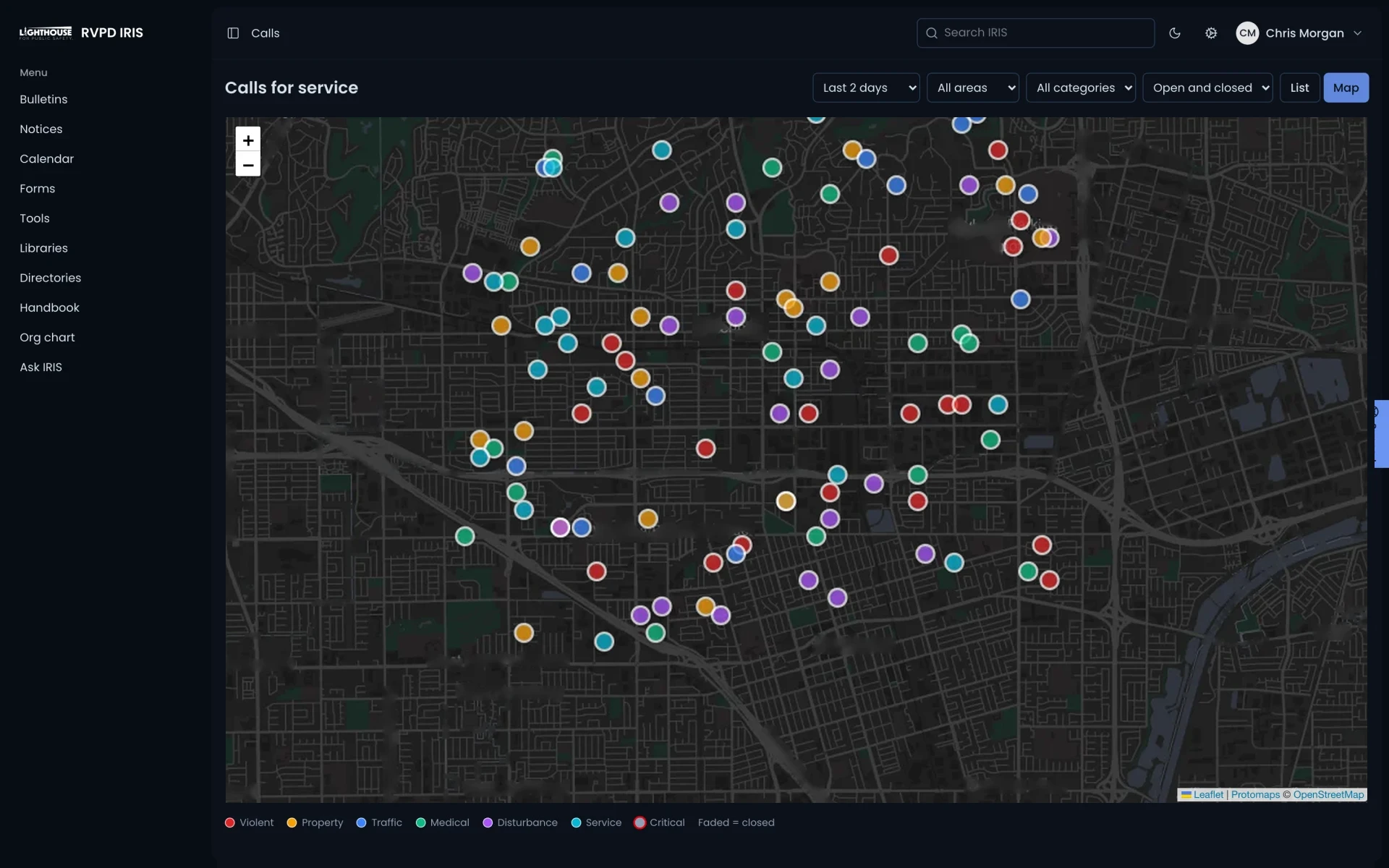
Your calls for service, next to the bulletins they match.
IRIS pulls in calls for service from your CAD so they show up at briefing, on the map and as accreditation proof. Mark43 integration is available. Your agency decides what comes in and how long it is kept.
CAD & integrations
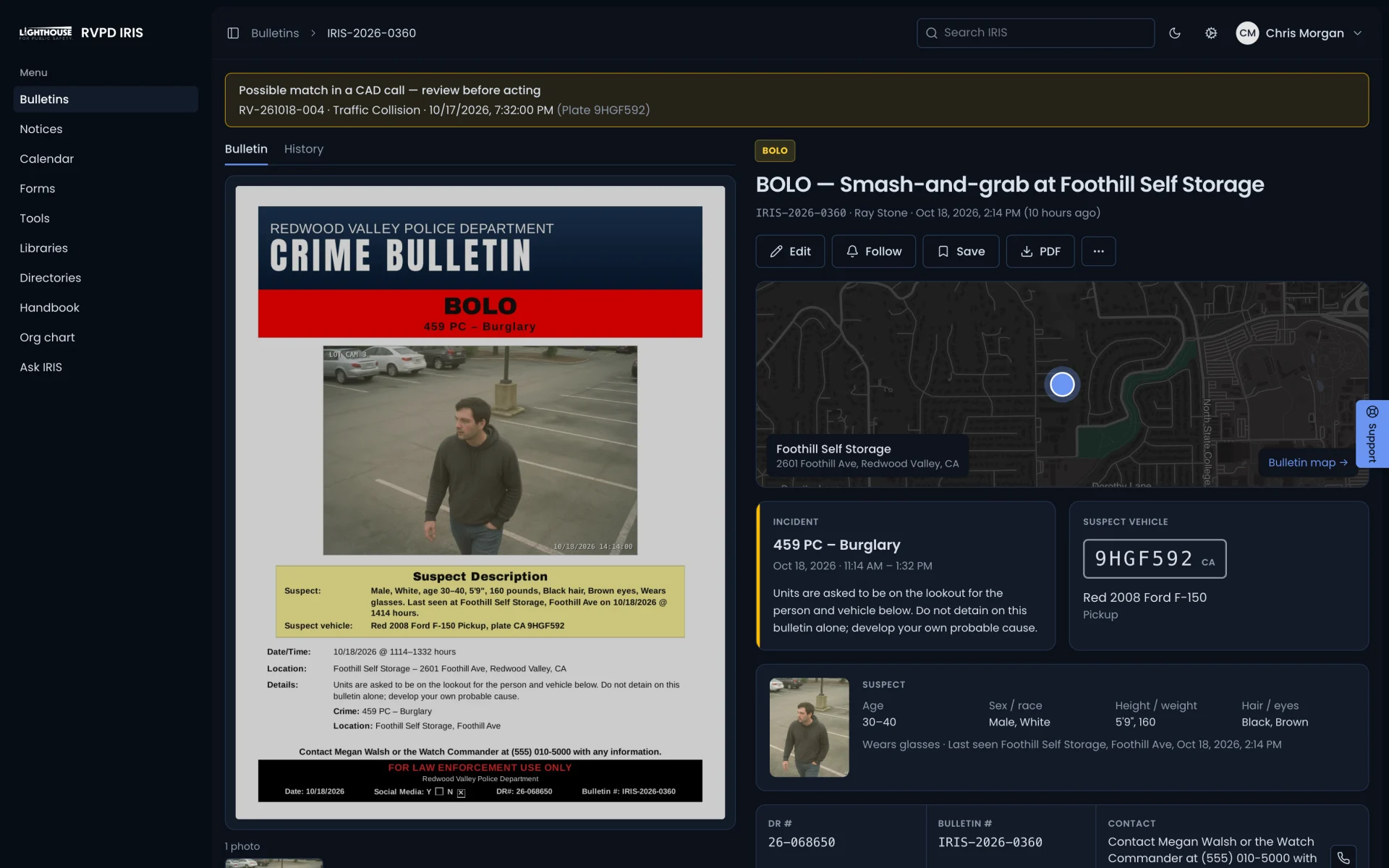
Calls live in CAD, bulletins live in email, and nobody connects the stolen car in this morning’s bulletin to the traffic stop last night.
IRIS puts recent calls next to the bulletins they might match, and an officer decides whether they do.
Recent calls colored by category, filtered by area and time, next to your bulletin pins.
When a vehicle or person from a bulletin turns up in a call, IRIS flags it for review. Nothing links on its own.
And more
Response-time numbers feed your accreditation proofs.
Choose what comes in, how precise locations are, who sees it and how long it is kept. Caller details never come in.
Courses from Lighthouse Academy come in every night, and officers can upload their POST profile for review.
Who uses it
How it fits
CAD data stays inside IRIS’s security levels and never touches wellness data. It feeds briefings, bulletins and accreditation from one connection.
One platform. Use just what you need. You stay in control.
Works with
We'll set it up with your agency's name and content.